If you have attempted linking your bank account to your SoFi Invest account, but Plaid is not able to locate that institution or is not able to pull the account information, you will need to manually enter your account information. Please follow the steps below:
SoFi App
To manually link bank accounts for ACH deposits/withdrawals via the mobile app, go to your SoFi Invest account on the app, tap on the “Trade” button in the bottom right corner of the screen, select ‘Add cash’ and follow the steps below. You can also click on this link to open the 'transfers' page.
- Tap on From
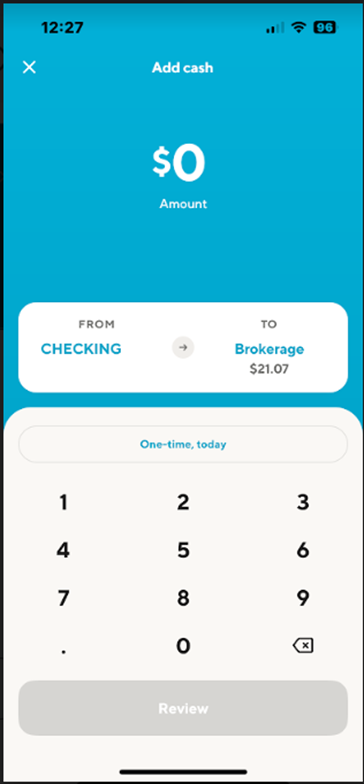
- Select Link a new account
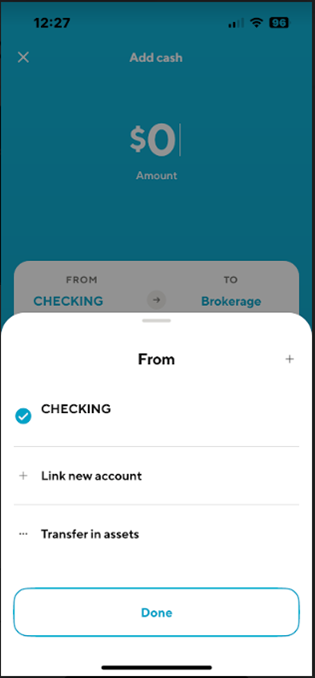
- You will be redirected to our 3rd party partner, Plaid. If your bank is not coming up via the search function, you can tap on the 'X' in the top right corner.
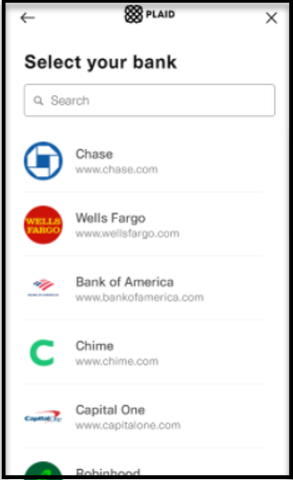
- Then tap on Enter Bank Details
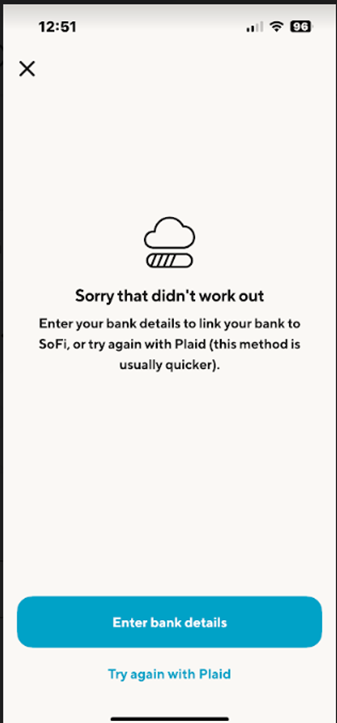
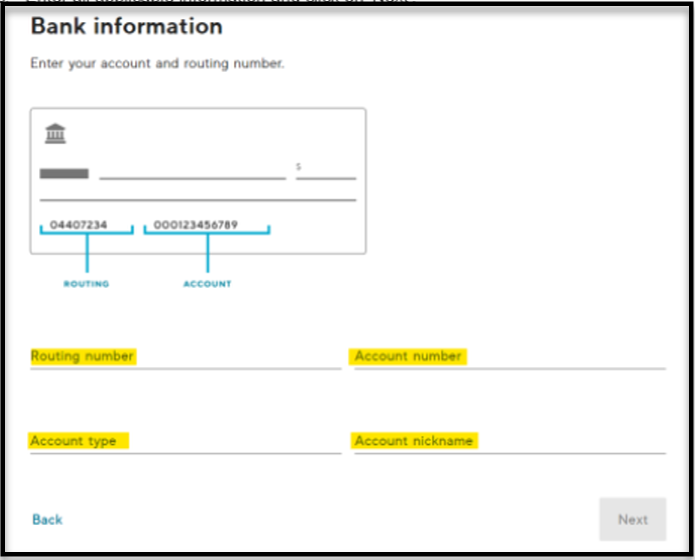
- Enter all applicable information and tap on Next
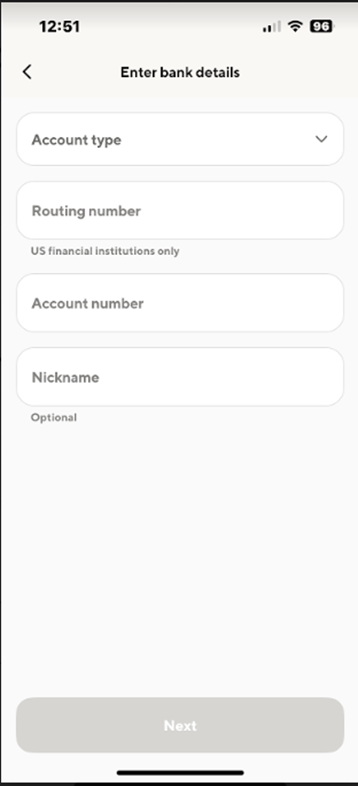


You can now schedule your deposit with your new bank link. Enter the amount you want to deposit then tap on Review deposit then you will Confirm the deposit.
SoFi Website
To manually link bank accounts for ACH deposits/withdrawals via the website, go to your SoFi Invest account on SoFi.com, click on ‘Add cash’, and follow the steps below. You can also click on this link to open the 'transfers' page.
- Click on From or To
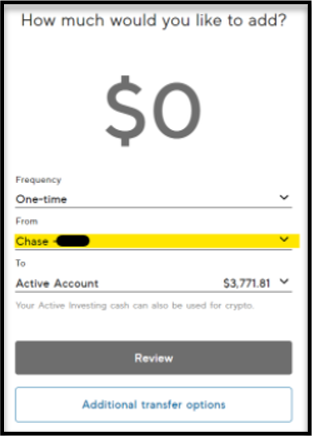
- Select Manage bank accounts
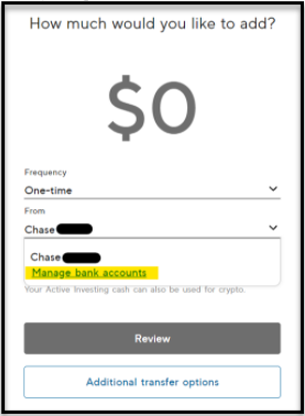
- Click on Connect a new bank account
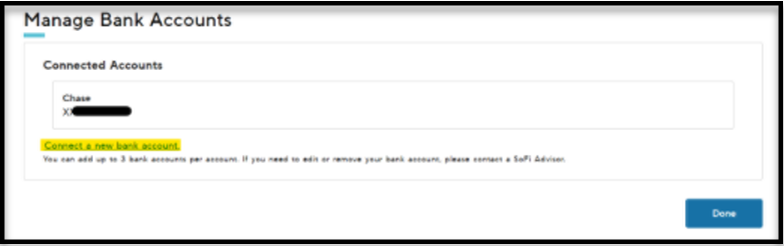
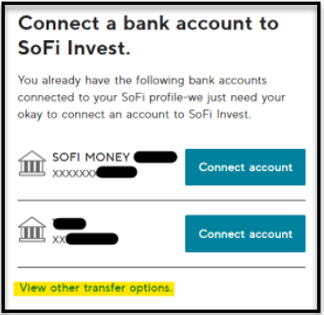
- If you have bank accounts previously linked to your Invest account or linked to some of your other SoFi accounts, you have the option to click on one of those. If not, click on View other transfer options
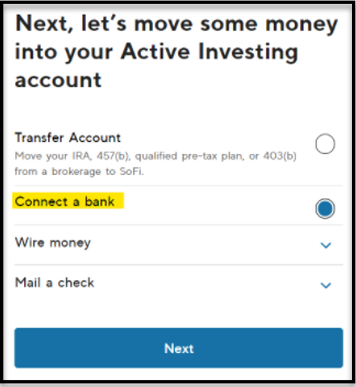
- Select Connect a bank and click on Next
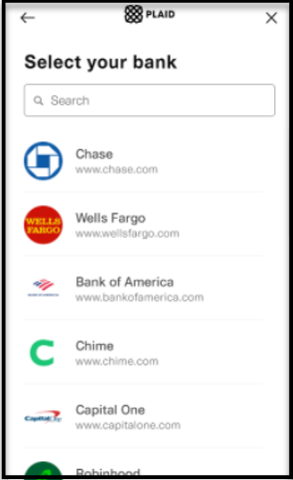
- You will be redirected to our 3rd party partner, Plaid. If your bank is not coming up via the search function, you can tap on the 'X' in the top right corner.
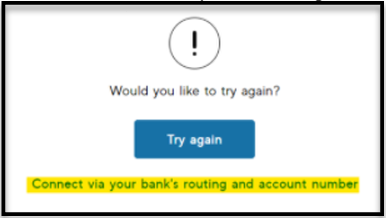
- Click on Connect via your bank’s routing and account number
- Enter all applicable information and click on Next


You can now schedule your deposit with your new bank link. Enter the amount you want to deposit then tap on ‘Review deposit’ then you will Confirm the deposit.
If your new bank link needs to be verified with a voided check or a monthly statement, you will receive an email and a light red banner will appear at the top of your screen prompting you to upload additional documentation. Your deposit will not be processed until your bank can be verified.